Synced lyrics
The line being sung lights up as the song plays.
 Verso
Verso
Verso shows the lyrics in time with the song, karaoke style. The line being sung lights up, and you can click any line to jump to that part.
Works on Edge via the Chrome Web Store.
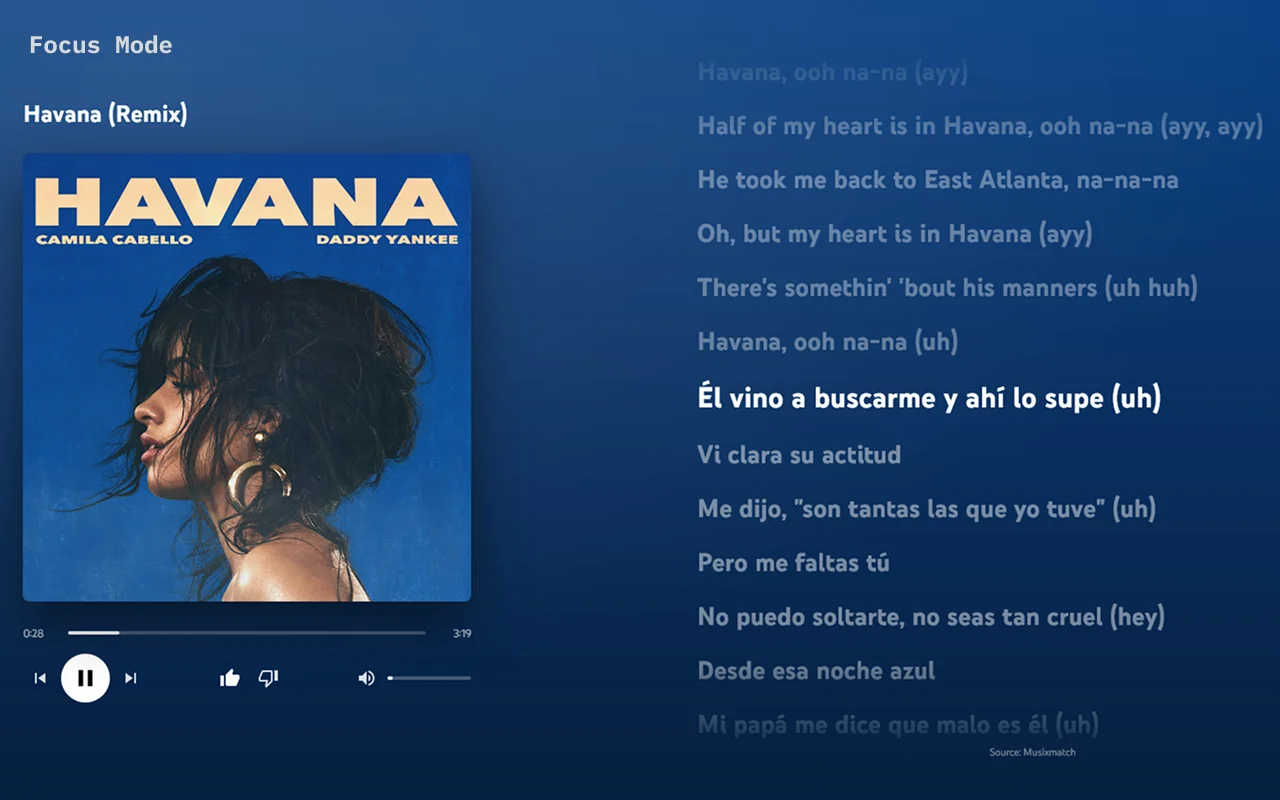
The line being sung lights up as the song plays.
The lyrics move along with the music, so you never get lost.
Click any line and the song jumps right to it.
A full-screen view with the cover, the controls and the lyrics, in the colors of the album art. Press Esc to leave.
Drag the line to compare YouTube Music with and without Verso.
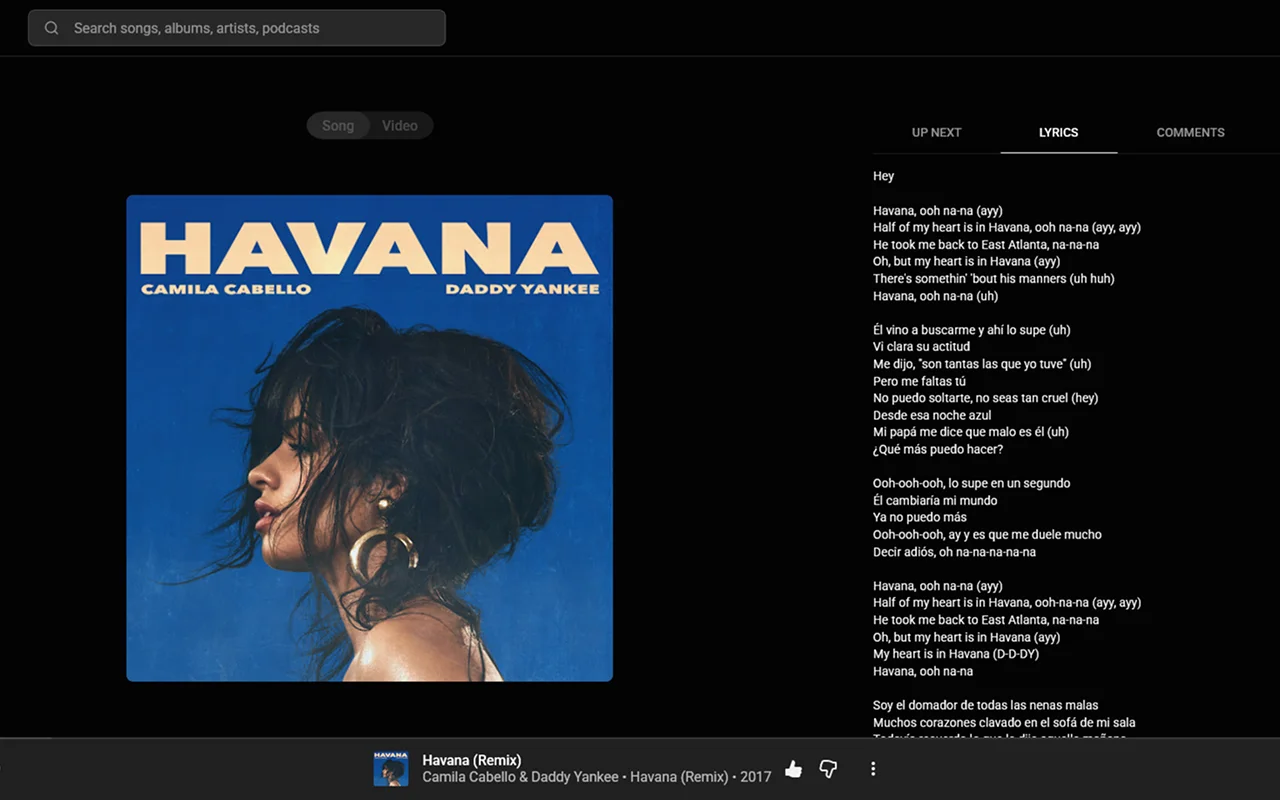
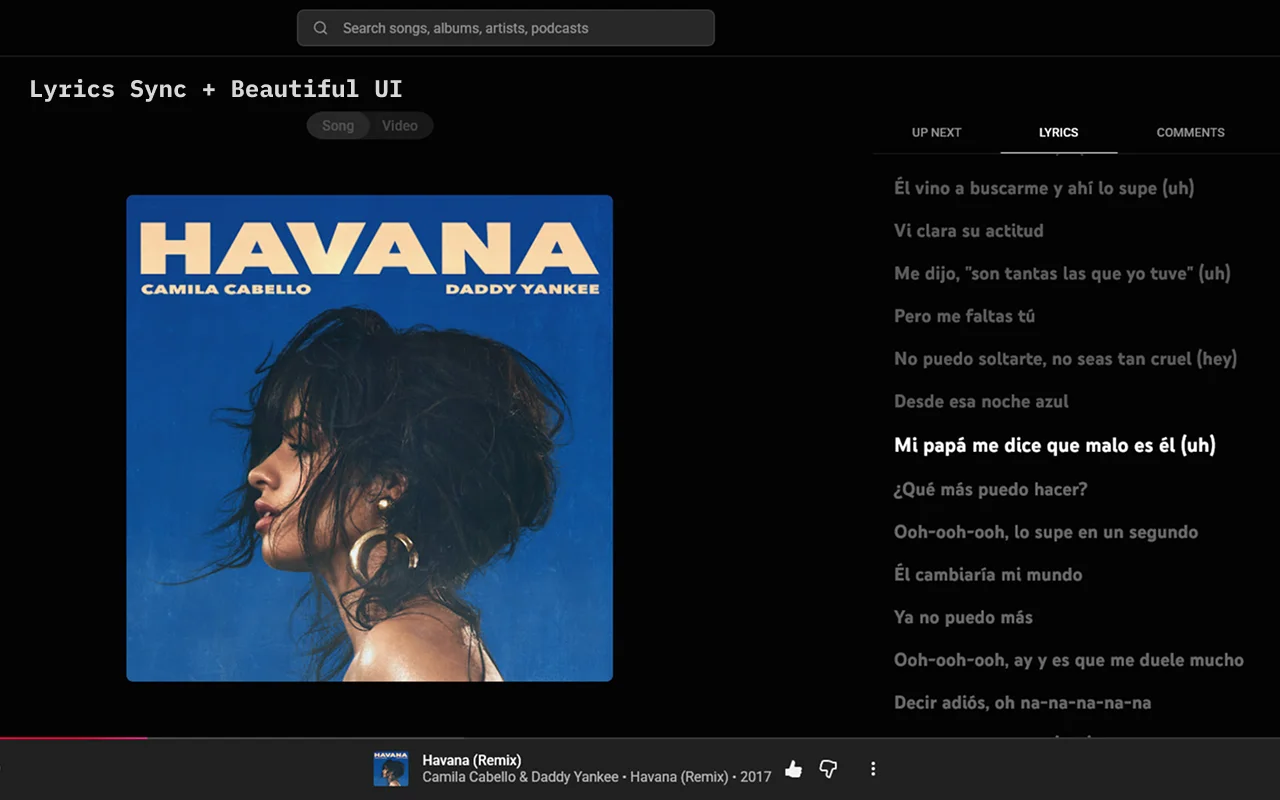 Before
With Verso
Before
With Verso
Add Verso from the Chrome Web Store or Firefox Add-ons.
Open YouTube Music and hit play.
Switch to the Lyrics tab, or press the focus button in the player bar.
Verso requests no permissions, collects no data and only talks to YouTube Music itself. No analytics, no tracking, no accounts.